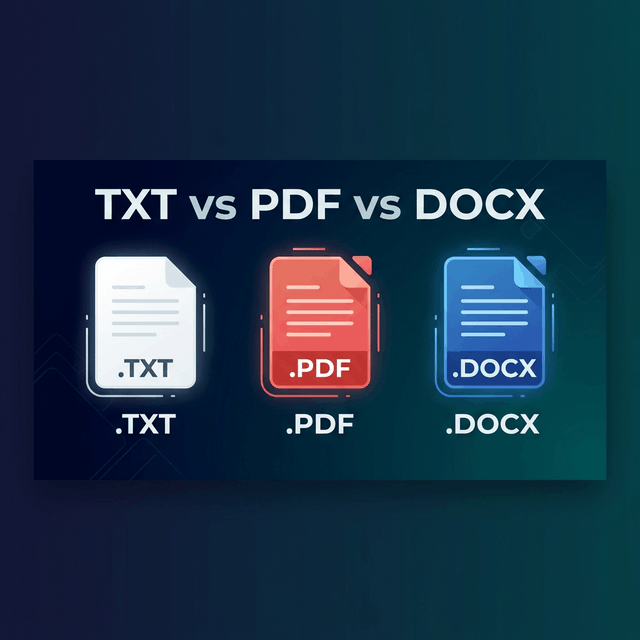
In modern knowledge work, information moves constantly across different digital containers. A software architect drafts project notes in plain text markdown; a marketing team collaborates on campaign messaging in Microsoft Word (DOCX); and the executive committee approves and signs the finalized contract as a PDF. Each of these three file formats—Plain Text (TXT), Portable Document Format (PDF), and Microsoft Word Open XML (DOCX)—serves a distinct, foundational purpose in computing.
Yet, professionals, students, and organizations frequently struggle with knowing exactly when to use each format. Choosing the wrong format can lead to corrupted layouts, security vulnerabilities, unintended data disclosure, unreadable files on mobile devices, or wasted hours reformatting documents. In this comprehensive, technical guide, we compare TXT, PDF, and DOCX across their internal architectures, document lifecycle stages, security profiles, storage efficiencies, programmatic parsing capabilities, and practical use cases to help you make informed, optimal decisions for every document you create.
1. Architectural Comparison: How the Formats Function Internally
To understand why each format behaves differently, one must look at how each represents data at the binary and code level:
A. Plain Text (TXT) — The Minimalist Baseline
A plain text file (.txt or markdown .md) is the simplest digital document structure in existence. It contains a raw, unformatted sequence of character bytes mapped to an encoding standard—almost universally UTF-8 in 2026. A plain text file contains zero styling instructions, zero font definitions, zero margin coordinates, and zero embedded graphics. It is purely raw information. Because there is no styling overhead, TXT files open instantly on any computing device (from a smartwatch to an enterprise supercomputer) and take up mere kilobytes of disk space.
B. Microsoft Word (DOCX) — The Zipped XML Document
Contrary to popular belief, a modern .docx file is not a single binary file. It is actually a standard ZIP archive containing a structured directory of XML (Extensible Markup Language) files adhering to the Office Open XML (ISO/IEC 29500) standard. If you rename a .docx file extension to .zip and decompress it, you will find:
word/document.xml: The raw text structured with XML formatting tags (<w:p>for paragraphs,<w:r>for text runs,<w:rPr>for bold/italic properties).word/styles.xml: Style sheets defining fonts, sizes, paragraph margins, and colors.word/media/: A folder holding raw JPEG/PNG image files embedded in the document.[Content_Types].xml: Manifest file defining the MIME types of all parts in the package.
Because DOCX is an editable, reflowable markup structure, it is optimized for dynamic revision, tracked changes, collaborative commenting, and layout adjustments.
C. Portable Document Format (PDF) — The Compiled PostScript Stream
A PDF is not a markup language or a zipped folder; it is a compiled binary stream of spatial drawing commands. Text characters are not simply stored in sequence; each character is assigned an exact (X, Y) coordinate on an immutable geometric canvas, paired with an embedded font subset and vector path definitions. While DOCX represents the "source code" of an editable document, PDF represents the "compiled binary executable" that locks visual output permanently.
2. In-Depth 10-Dimensional Comparison Matrix
The following technical table provides an exhaustive side-by-side evaluation of TXT, DOCX, and PDF across ten critical computing dimensions:
| Dimension | Plain Text (TXT) | Microsoft Word (DOCX) | Portable Document Format (PDF) |
|---|---|---|---|
| Primary Design Goal | Raw text storage & code drafting | Collaborative authoring & editing | Permanent layout preservation & distribution |
| Layout Stability | None (depends on local editor font) | Fluid / Reflowable (can shift between versions) | 100% Fixed & Deterministic across all devices |
| Font Handling | No fonts embedded (uses system default) | Fonts referenced locally (can substitute) | Fonts embedded & subsetted inside binary |
| Image & Vector Support | Zero image support (text only) | Full support (raster images & shapes) | Full support (vector paths & high-res raster) |
| File Size Efficiency | Extremely lightweight (< 10 KB) | Moderate (ZIP archive overhead) | Compact (Flate/Deflate compression) |
| Security & Macro Risks | Zero security risks (non-executable) | Vulnerable to malicious VBA macros | Secure (sandboxed rendering, PKI signatures) |
| Ease of Editing | Effortless in any text editor | Native, full-featured rich editing | Challenging (requires specialized PDF tools) |
| Legal Enforceability | Low (easily altered without detection) | Low (track changes can be wiped) | High (cryptographic SHA-256 digital signatures) |
| Long-Term Archival | Excellent for raw text (universal) | Moderate (depends on software support) | Gold Standard (ISO 19005 PDF/A standard) |
| Mobile Viewing Experience | Basic monospaced text | Requires heavy mobile Word app | Native preview in all mobile browsers & OS |
3. Programmatic Text Parsing and Extraction in Data Pipelines & AI
In 2026, document processing is increasingly conducted by automated algorithms, natural language processing (NLP) pipelines, and large language model (LLM) agents. How each format interacts with automated pipelines is critical:
- Parsing Plain Text (TXT): Effortless. Ingested directly into memory buffers with zero parsing overhead, zero tokenization anomalies, and perfect semantic continuity.
- Parsing Microsoft Word (DOCX): Highly structured. Libraries like
python-docx, Apache POI, and OpenXML SDK can cleanly extract document trees, headings, table cells, and metadata without spatial ambiguity. - Parsing PDF Files: Complex. Because a PDF stores characters at physical
(X, Y)coordinates rather than as semantic sentences, PDF text extraction tools (like pdfminer or Tesseract OCR) must mathematically reconstruct reading orders, detect multi-column flow, and de-hyphenate line wraps based on spatial proximity heuristics. However, modern Tagged PDFs (PDF/UA) include semantic DOM trees that provide the visual stability of PDF alongside the machine readability of XML.
4. File Corruption and Recovery: A Failure Analysis
When files suffer partial byte corruption (due to network dropouts or failing storage sectors), their recovery characteristics diverge sharply:
- TXT: Highly resilient. If bytes 500–600 are corrupted in a 2,000-byte TXT file, the remaining 1,900 bytes open normally with only a localized garbled string.
- DOCX: Fragile. Because DOCX relies on ZIP compression and strict XML schemas, a single corrupted byte in the central directory or an unclosed XML tag can prevent Microsoft Word from opening the entire document, throwing a fatal "The file is corrupt and cannot be opened" error.
- PDF: Robust. Thanks to its decentralized indirect object model and cross-reference table, most modern PDF viewers can rebuild a damaged xref table and render intact pages even if portions of the stream are damaged.
5. Real-World Case Studies: How Different Sectors Balance the Formats
Examining how major industries deploy these three formats highlights the practical wisdom of using the right tool for each task:
- Software Engineering & DevOps: Source code, config files (YAML/JSON), and deployment logs remain 100% in plain text (TXT/MD) to enable version-controlled diffs on GitHub. When releasing formal API specifications or user manuals to customers, documentation generators compile the markdown into PDF.
- Legal Practice & Contract Negotiation: Attorneys negotiate commercial agreements in DOCX with Track Changes enabled, allowing redlining between opposing counsels. Once terms are ratified, the document is locked and exported to PDF, signed cryptographically with PKI certificates, and filed in court registries.
- Higher Education & Academic Publishing: Scholars write research papers and draft peer reviews in DOCX or LaTeX. When submitting to academic journals or student portals (Turnitin), papers are converted to PDF to prevent equations, citations, and footnotes from shifting on the grader's display.
- Corporate Invoicing & Finance: Invoicing engines generate plain text transaction data from accounting databases, feed the raw data into client-side PDF templates, and instantly output tamper-evident invoice PDFs for corporate clients.
6. The Document Lifecycle Framework: When to Use Which Format
High-performing teams and individuals avoid format confusion by mapping file formats to specific stages of the Document Lifecycle Framework:
Stage 1: Ideation & Drafting (Use TXT or Markdown)
When taking meeting notes, outlining research, drafting code documentation, or capturing AI prompts, plain text and markdown are unmatched. Plain text introduces zero cognitive distraction with formatting toolbars, loads instantly, and integrates flawlessly with developer tools, Git version control, and note-taking apps (such as Obsidian, VS Code, and Apple Notes).
Stage 2: Collaborative Review & Revision (Use DOCX)
When a document requires multiple authors, legal redlining, editorial suggestions, and tracked revision history, DOCX is the optimal format. Features like Track Changes, inline margin comments, equation builders, and live co-authoring in Microsoft 365 or Google Docs allow teams to iterate dynamically until a unanimous consensus is reached.
Stage 3: Publication, Distribution & Signing (Use PDF)
Once a document is finalized, it should be immediately compiled into a PDF. Distributing a DOCX file to a client, investor, professor, or opposing legal counsel is a professional liability: the recipient might see confidential tracked changes, layout margins may break on their screen, or they may accidentally edit terms. PDF locks the document, applies cryptographic signatures, and guarantees that every recipient sees the exact intended layout.
Stage 4: Long-Term Institutional Archiving (Use PDF/A)
For records that must remain accessible for 10, 20, or 100 years—such as corporate bylaws, financial tax filings, architectural blueprints, and government legislation—converting to PDF/A (ISO 19005) guarantees that future generations will be able to render and read the document without needing the original software that created it.
7. Security and Privacy Vulnerabilities: A Crucial Comparison
The security implications of choosing between TXT, DOCX, and PDF are substantial:
- The Danger of Hidden Metadata in DOCX: Word documents store rich revision history, author names, machine paths, and deleted text fragments inside internal XML files. Sending a raw DOCX to external parties has frequently caused major corporate data leaks when recipients inspected the revision log to see deleted confidential paragraphs.
- Macro-Based Malware in DOCX: Historically,
.docmand macro-enabled DOCX files have been among the most common vectors for delivering ransomware and trojans via email phishing attachments. Corporate firewalls often block or sandbox incoming Word attachments. - Tamper-Evident Security in PDF: PDFs utilize cryptographic checksums and digital signature standards (PAdES). If a signed PDF is opened and modified, the digital signature breaks visibly, guaranteeing that fraud or unauthorized alterations are immediately detectable in court.
8. Seamless Conversion Pathways: How to Bridge the Formats
In everyday work, moving between TXT, DOCX, and PDF should be effortless:
- TXT to PDF: The most common modern workflow for turning raw notes, markdown, and AI drafts into professional deliverables. Using client-side tools like Text2PDF, users can paste plain text, apply rich headings, embed logos, and compile an immutable PDF in milliseconds without cloud server exposure.
- DOCX to PDF: The standard finalization step in word processors via "Export as PDF" or "Print to PDF", locking margins, fonts, and headers before client transmission.
- PDF to TXT / DOCX: A reverse extraction workflow useful when extracting raw text for data analysis or converting a legacy document back into an editable workspace using OCR (Optical Character Recognition) engines.
9. Decision Matrix: Choosing the Right Format for Your Specific Use Case
Quick Reference Guide
- Choose TXT / Markdown if you are: Writing code documentation, taking rapid meeting notes, saving server logs, or feeding raw text into AI language models.
- Choose DOCX if you are: Co-authoring a manuscript with colleagues, reviewing editorial feedback with tracked changes, or working on an active draft.
- Choose PDF if you are: Sending an invoice, submitting an academic assignment, distributing a contract, sending a resume/CV, publishing an eBook, or archiving corporate records.
10. Summary
TXT, DOCX, and PDF are not competitors; they are complementary tools designed for different phases of the information lifecycle. Plain text offers frictionless speed for drafting; DOCX provides dynamic flexibility for team collaboration; and PDF delivers the ultimate standard of permanence, security, and typographic beauty for distribution.
By understanding the unique strengths of each format, you can streamline your digital workflow, protect confidential data, and ensure your documents always make a flawless, professional impression.